A&EWeb Solutions
All work

Case study · Manufacturing Production Tracking System

Factory Scan Clock

A custom production tracking platform that lets manufacturing teams log work at the machine with barcode scans, while managers follow every job from a central dashboard.

  • Production Tracking
  • Barcode Kiosks
  • Manager Dashboard
  • QA/QC Workflow
  • Team & Employee Tracking
  • Reporting
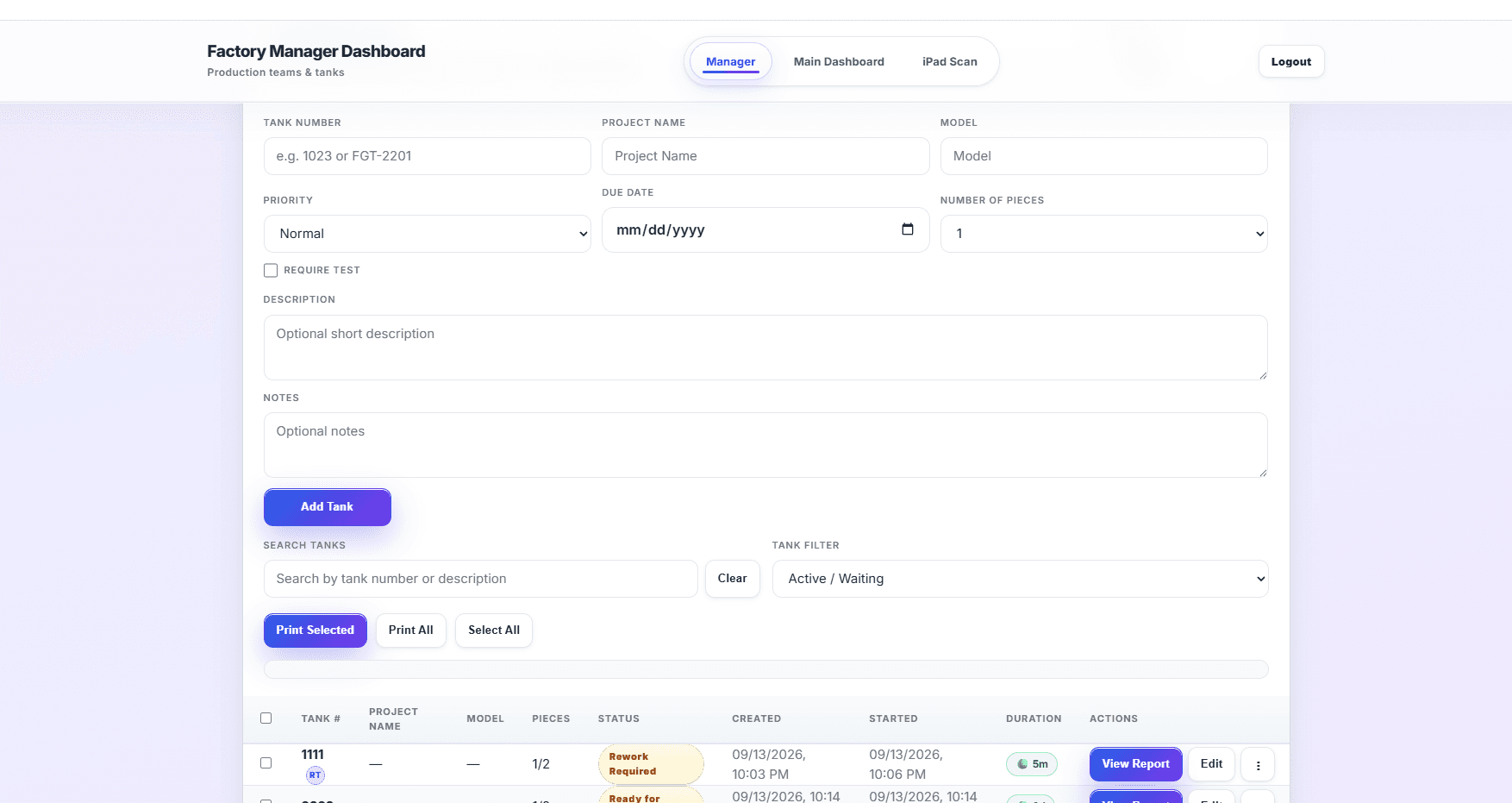
Factory Scan Clock manager dashboard with production job setup, search, status filters, and reporting controls

01Project overview

Software designed around the production floor.

Factory Scan Clock is a browser-based system built for a manufacturing environment. Teams scan barcodes at purpose-built kiosks on the floor, and managers use a dashboard in the office to set up production jobs, follow progress, review quality checks, and export reports.

Project type
Custom web application
Industry
Manufacturing
Interfaces
Manager dashboard & floor kiosks
Input method
Barcode scanning

02Business challenge

Production work is hard to see once it leaves the office.

Manufacturing work moves across machines, teams, parts, and production phases. Without a dedicated system, it is difficult to know who is working on what, where each job stands, and whether quality checks were completed.

  • Jobs spread across multiple machines and work areas
  • Several teams and employees touching each job
  • Quality checks that need to be recorded consistently
  • Reports that are slow to assemble by hand

03Solution

Barcode kiosks on the floor. A clear dashboard in the office.

We built a focused web application with two sides: fast, scan-driven kiosk screens for the production floor and a manager dashboard for planning and oversight. Each scan records the team, the job, and the production action, so managers can see status and pull reports without re-entering data.

  • Kiosk screens designed for quick barcode scanning
  • Production jobs created and tracked from one dashboard
  • QA/QC steps captured as part of the workflow
  • CSV, PDF, and Excel reporting built in

04Key features

What the system does.

  • 01

    Machine & assembly kiosks

    Purpose-built kiosk screens for machine areas, assembly, and QA, designed for fast barcode input on the floor.

  • 02

    Team-based scanning

    Teams scan in at a machine, then log production actions such as start, stop, and resume against a specific job and phase.

  • 03

    Production job setup

    Managers create jobs with project details, model, priority, due date, and number of pieces, then filter and search active work.

  • 04

    QA/QC workflow

    A dedicated QA/QC kiosk and review screens record quality checks as part of the production process.

  • 05

    Teams, employees & machine areas

    Admin screens for managing teams, employees, and machine areas, with printable barcode badges for employees.

  • 06

    Reports, exports & alerts

    Daily summaries with CSV, PDF, and Excel exports, plus configurable email alerts.

05Screenshot gallery

The application in action.

Manager Dashboard · 1 of 2

Create production jobs, search and filter active work, and print or export from one screen.

Have a project like this?

Let's build something around your business.

Tell us about your workflow, users, and goals. We'll help you find the right solution — a website, custom software, or both.